
We’ve all been there. You have three tabs open for research, a half-finished outline on your screen, and a deadline that is creeping closer by the minute. You put on your headphones, find a “Lo-Fi Beats to Study To” playlist, and wait for the magic to happen. But instead of entering a flow state, the music feels thin, the bass is muddy, or the snare hits are just a little too sharp, pulling you out of your concentration.
When you are deep in the trenches of academic life, your environment is everything. While most students focus on having a clean desk or a comfortable chair, they often overlook the quality of their audio. This is where FxSound comes in. By using the right software presets, you can turn a basic pair of earbuds into a high-fidelity productivity tool.
In this guide, we are going to break down how to calibrate your sound for maximum focus and why high-quality audio is the secret weapon for crushing your study sessions.
Why Audio Quality Actually Matters for Focus
It sounds like a small detail, but the “texture” of your audio impacts how your brain processes information. Poor audio quality forces your brain to work harder to “fill in the gaps” of what it’s hearing. This is known as cognitive load. If you are listening to a lecture or background music that is tinny or distorted, a small part of your brain is constantly distracted by trying to fix that sound.
When you use an equalizer like FxSound, you are smoothing out those rough edges. For “Deep Work”—a term popularized by Cal Newport to describe distraction-free, high-value concentration—you need audio that fades into the background. You want a “wall of sound” that blocks out the noisy roommate or the hum of the library AC without being distracting itself.
Setting Up FxSound for the Ultimate Study Session
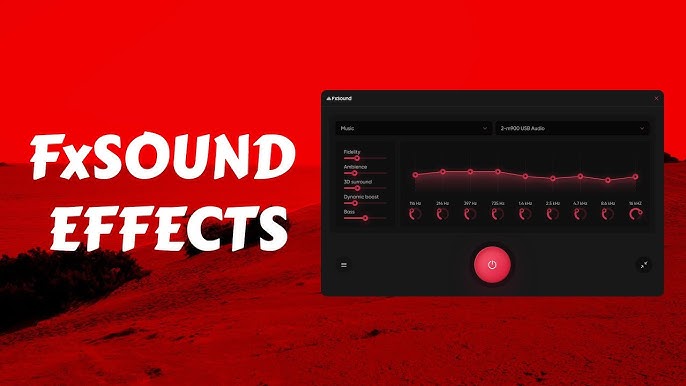
If you haven’t downloaded it yet, FxSound is a fantastic, free, open-source tool that acts as a bridge between your computer and your speakers. It boosts volume, increases clarity, and adds a richness that standard Windows audio drivers usually lack.
To get started with Lo-Fi or ambient study music, you don’t want a “flat” sound. You want something warm. Here are the specific adjustments you should look for in the FxSound interface:
- Clarity: Keep this moderate. Too much clarity makes high-pitched sounds (like hi-hats in Lo-Fi) too “crispy,” which can be irritating over long periods.
- Atmosphere: Turn this up! This adds a sense of space, making the music feel like it’s floating around you rather than pumping directly into your eardrums.
- Bass Boost: Keep this low to medium. Lo-Fi relies on a “thump,” but too much bass will make you feel sleepy rather than focused.
The Best Presets for Different Study Styles
Not every study session requires the same vibe. Depending on what you are working on, you might need a different sonic profile.
1. The Lo-Fi Chill Preset (For Repetitive Tasks)
Lo-Fi (Low Fidelity) music is designed to be imperfect. It has crackles, hiss, and muffled beats. It’s perfect for when you are doing data entry or organizing your notes.
- FxSound Goal: Enhance the “Warmth.”
- Setting: Dial back the treble and boost the mid-tones. This makes the music feel like it’s coming from a vintage vinyl player, creating a cozy atmosphere that reduces stress.
2. The Ambient/Classical Preset (For Heavy Reading)
If you are reading a dense textbook, lyrics are your enemy. You need “pink noise” or orchestral swells.
- FxSound Goal: Maximize “Atmosphere.”
- Setting: Crank the Atmosphere setting to 7 or 8. This creates a wide soundstage that helps “black out” the physical world around you.
3. The “Emergency Deadline” Preset (For Writing Essays)
When the clock is ticking and you have to produce 2,000 words in four hours, you need energy. This is when you might switch to faster synth-wave or “brown noise.”
- FxSound Goal: High Volume and Dynamic Boost.
- Setting: Use the “Volume Boost” feature to keep the energy high.
Writing a long paper is arguably the most taxing part of being a student. If you find yourself struggling to describe complex concepts even with the perfect playlist, seeking out a professional description essay service can help you see how the pros structure their arguments and sensory details. Sometimes, hearing the right music helps you find the right words, but having a template helps you cross the finish line.
How to Bridge the Gap Between Sound and Productivity
The “perfect sound” is only half the battle. You also need a plan. Many students use the Pomodoro Technique—25 minutes of work followed by a 5-minute break. You can actually use FxSound to signal these shifts to your brain.
- During Work: Use a “Deep Work” preset with ambient noise.
- During Breaks: Switch to a “Bass Boost” or “Music” preset and play a high-energy song to “reset” your brain’s dopamine levels.
This sensory Pavlovian response tells your brain exactly when it’s time to grind and when it’s time to relax.
Finding Inspiration for Your Content
One of the biggest hurdles students face isn’t just the audio—it’s the “blank page syndrome.” You have your FxSound settings dialed in, your Lo-Fi playlist is humming, but you don’t know where to start your essay. If you’re stuck on a creative writing assignment, looking through a list of descriptive essay topics can spark that initial flame of an idea. Whether you’re describing a childhood memory or the sound of rain against a window, having a starting point makes the “Deep Work” phase much more effective.
Common Mistakes to Avoid
- Listening Too Loud: Even with FxSound’s volume boost, keep it at a level where you could still hear someone say your name. High volume causes ear fatigue, which ends your study session early.
- Using “Busy” Playlists: If a song has a catchy chorus or lyrics you know, you will start singing along instead of writing. Stick to instrumental tracks.
- Ignoring Your Hardware: FxSound is powerful, but it can’t fix broken hardware. If your headphones are physically uncomfortable, no amount of audio processing will help you focus for three hours.
Conclusion
In the digital age, your laptop is your classroom, your library, and your office. Investing ten minutes into setting up your audio environment with FxSound isn’t just for audiophiles—it’s for any student who wants to make the most of their limited study time. By tailoring your sonic environment, you reduce stress, eliminate distractions, and make the grueling process of academic writing just a little bit more pleasant.
So, the next time you sit down to tackle a major project, don’t just hit play. Open up your EQ, adjust your atmosphere, and get into the zone.