
An MP3 recording can preserve an entire conversation, lecture, interview, podcast, or meeting, but audio is not always the easiest format for finding information. When a recording becomes lengthy, locating one sentence or important detail may require repeated listening.
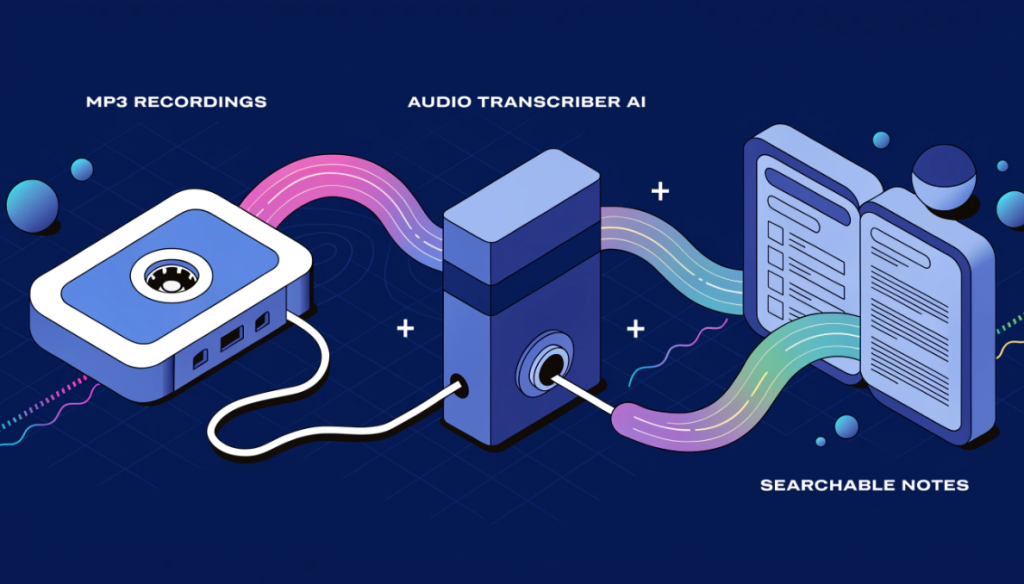
An Audio Transcriber AI changes this workflow by converting spoken language into written content. Instead of manually typing every word, users can process an MP3 file and receive a text version that can be reviewed, searched, edited, and reused. This simple shift from audio to text can make recorded information considerably easier to work with.
Give Your Audio a Written Form
Audio is excellent for capturing ideas quickly, but written text offers advantages that sound recordings cannot provide. A document can be scanned in seconds, searched for specific terms, copied into another application, or edited into a new piece of content.
For example, imagine an interview lasting 45 minutes. If you remember that the guest mentioned a particular product but cannot remember when, searching through the MP3 manually could be frustrating. A transcript allows you to search for the relevant word and jump directly to the appropriate section of the conversation.
That makes transcription useful not only for creating text but also for making existing recordings easier to navigate.
What Happens When You Convert MP3 to Text?
The process starts with an audio recording containing spoken language. An Audio Transcriber AI analyzes the speech and identifies the words being spoken before producing a written version. The resulting transcript may include sentences, paragraphs, timestamps, or speaker information depending on the capabilities of the transcription system.
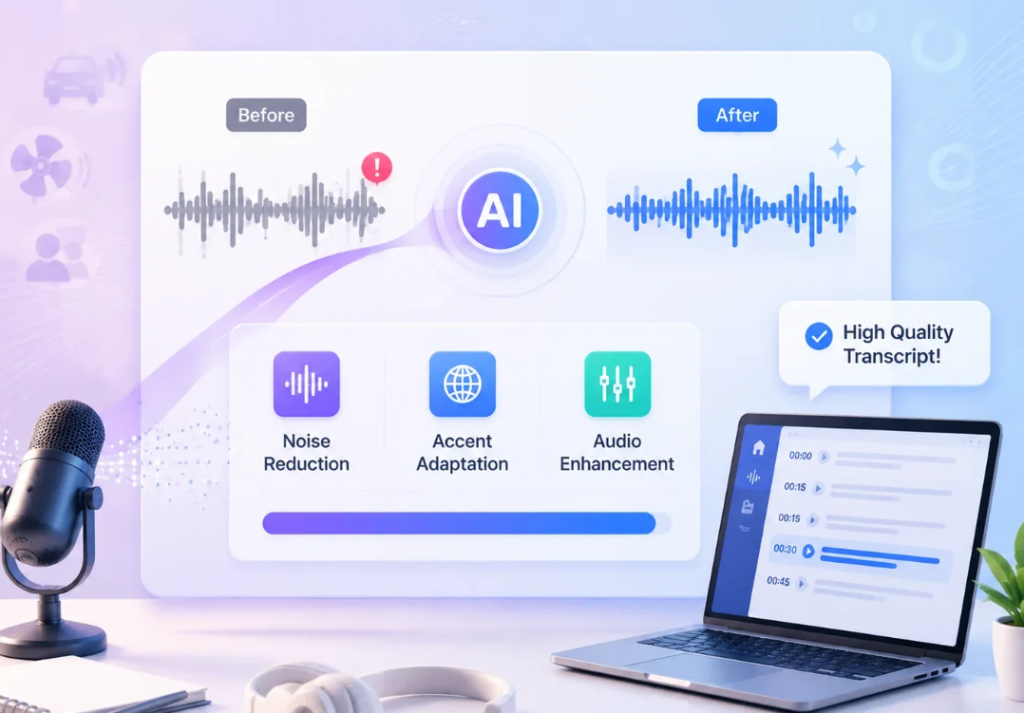
The user can then review the generated text and make corrections. This is particularly important when recordings contain technical vocabulary, background noise, accents, or multiple speakers. The AI handles the repetitive first stage, while the user remains responsible for checking the final result.
Turn Interviews Into Working Documents
Interviews often contain valuable information, but manually transcribing them can consume a large amount of time. This is true for journalists, researchers, students, marketers, and podcast producers.
With an MP3-to-text workflow, the recording can become a written working document. Once the transcript is available, users can identify useful quotations, organize responses by topic, and remove irrelevant sections.
A journalist might use the transcript while preparing an article. A researcher could highlight recurring themes across several interviews. A content creator could locate the strongest moments for a video or social media post. The recording remains the original source, while the transcript becomes a practical tool for working with its information.
Make Long Recordings Easier to Search
One of the most useful advantages of transcription is searchability. Listening to a recording is sequential. You generally move forward or backward through the timeline. Text works differently. You can search for a name, phrase, subject, or keyword and immediately identify where it appears.
This is particularly useful for large collections of recordings. Instead of remembering which file contains a particular discussion, searchable transcripts can make the information much easier to locate. For businesses, researchers, and creators who regularly work with audio, this can significantly improve organization.
Give Podcasts a Second Life
Podcasts are designed primarily for listening, but their conversations often contain information that can be reused in written formats.
After converting an MP3 episode into text, a creator can review the transcript and identify sections that deserve further attention. A discussion about a particular topic could become a blog article. A memorable statement could become a social media post. Several answers from an interview could be turned into show notes.
The important point is that transcription does not replace the podcast. It gives the existing episode another useful format. Creators can therefore get more value from recordings they have already produced.
Capture Spoken Ideas Before They Disappear
Not every recording is a professional production. People often create short voice notes when an idea comes to mind. A business owner might record a marketing concept while traveling. A writer could speak a story idea instead of typing it. A student may record a reminder about an assignment.
Over time, these recordings can become difficult to manage. Converting them into text makes the information easier to organize alongside other notes and documents. For people who prefer speaking over typing, this creates a more natural way to capture ideas without leaving them trapped inside audio files.
Build Better Study Material From Lectures
Recorded lectures can be useful study resources, but replaying an entire class whenever you need one explanation is inefficient.
Students can use an Audio Transcriber AI to create a text version of a lecture and then review the transcript alongside the original recording. Searching the written content can help locate specific subjects quickly, while the audio remains available when a particular explanation needs to be heard again.
Transcripts can also be turned into personal study notes. However, students should check technical terms and important details against the original recording because automated transcription can occasionally introduce errors.
Make Meeting Discussions Easier to Revisit
Meetings often move quickly. Participants may discuss several subjects, make decisions, and assign tasks within the same conversation.
An MP3 recording provides a useful record, but a transcript can make that record easier to use. Team members can search for a project name, decision, deadline, or specific discussion without replaying the entire meeting.
This can be especially useful for remote teams where important conversations happen through recorded calls. Organizations should still consider privacy and consent when recording meetings and processing their content with AI tools.
When Clear Audio Produces Better Text
The quality of the source recording can have a major effect on transcription results. AI can process a wide range of recordings, but unclear speech creates additional challenges.
Background conversations, loud music, poor microphones, echoes, and overlapping speakers may make certain words difficult to recognize. Strong accents and specialized terminology can also require additional editing.
For this reason, the best starting point is a clean recording with speech that can be heard clearly. When possible, keeping speakers from talking over one another can also improve the resulting transcript.
Don’t Treat the First Transcript as the Final Copy
AI transcription is designed to save time, but that does not mean every generated sentence will be perfect. A transcript may contain incorrect punctuation, misunderstood words, missing names, or phrases that need clarification. These issues are often easy to fix during review.
For casual personal notes, minor errors may not be particularly important. For published interviews, academic work, business documents, or professional content, careful proofreading is essential. A useful approach is to compare questionable passages with the original MP3 rather than guessing what the speaker intended.
What You Can Create After Transcription
Once an MP3 has been converted into text, the information becomes much more flexible.
A single recording can provide material for:
- Articles and blog posts
- Interview summaries
- Meeting documentation
- Research notes
- Podcast descriptions
- Social media content
- Educational resources
The transcript provides the raw material, while human editing gives it structure and purpose.
This is one reason transcription has become an important part of modern content workflows.
Making Audio Part of a Smarter Content Process
The real value of an Audio Transcriber AI is not simply that it saves someone from typing. It changes what can be done with recorded information. An MP3 that once sat inside a folder can become searchable research material. A voice note can become an organized idea. A podcast can provide the foundation for written content. A meeting recording can become a reference document.
In each case, transcription creates a bridge between spoken communication and the written workflows people already use every day.
Final Thoughts
Converting MP3 to text can make recorded speech significantly easier to search, edit, organize, and reuse. An Audio Transcriber AI handles much of the repetitive work involved in creating an initial transcript, allowing users to focus on reviewing and developing the information.
Whether you’re working with interviews, podcasts, lectures, meetings, or personal recordings, the combination of audio and searchable text offers a practical way to get more value from spoken content.
The strongest results come from treating AI transcription as the beginning of the process rather than the end. With a clear recording, thoughtful review, and human editing, an ordinary MP3 can become a useful written resource that is far easier to work with.