
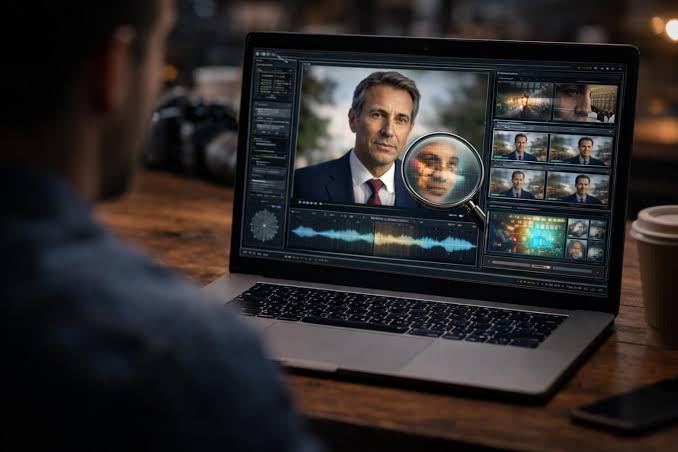
People will watch a blurry video. They will not sit through a badly recorded one.
That asymmetry is well understood in broadcast and almost unknown among people making their own content. A soft picture is passive, and the eye adjusts within seconds. Poor audio is active work, because the listener has to decode speech buried in reverb or noise, and that effort accumulates until they stop.
It is why a phone video shot in good light with a clean recording holds attention better than something filmed on expensive equipment in a hard, empty room.
An AI Video Editor repairs some of this, and Higgsfield runs it in a browser so nothing needs installing first. What cannot be repaired is the thing most people never address, which is the room.
Why Does the Room Matter More Than the Microphone?
Because the microphone records the room as well as you.
A hard, empty space reflects sound off every surface. Those reflections arrive at the microphone a fraction of a second after your voice, and the result is that hollow, distant quality people describe as sounding amateur.
No microphone fixes that. A better one captures the reverb more accurately.
Where it shows up worst:
- Empty rooms with bare walls and no soft furnishings
- Hard floors, particularly tile and laminate
- High ceilings, which lengthen the reflections
- Large spaces, where reflections travel further before returning
- An AI Video Editor pass that cannot separate reverb from voice cleanly
The spare bedroom with nothing in it is the worst recording environment most people have, and the one they usually choose because it is quiet.
Quiet and acoustically dead are different things, and the second one matters more.
What Actually Fixes a Room?
Soft things, in the right places, costing almost nothing.
- Soft furnishings, which no AI Video Editor substitutes for
- Record in a smaller space, which has shorter reflections
- Face a soft surface rather than a bare wall
- Avoid corners, where low frequencies gather
- A wardrobe of clothes is genuinely excellent treatment
The clothes point is not a joke. Hanging fabric absorbs across a useful frequency range, which is why recording inside a full wardrobe works and why professional booths are lined with absorbent material.
A duvet over a clothes rail behind the camera position does more than any plugin available. It costs nothing and takes two minutes.
Test by clapping once. If you hear a short ring afterwards, the room is live and the recording will carry it.
What Order Should Things Be Fixed In?
Room, distance, microphone, processing, in that order.
Most people do it backwards. They buy a microphone first, hear no improvement, and conclude they need a better one.
- Treat the room, which costs nothing and changes the most
- Get closer to the microphone, which is free
- Then consider the microphone itself
- Then apply processing in an AI Video Editor
- Never start with processing, which cannot undo the first three
Distance is the single most underrated variable. Halving the distance between your mouth and the microphone dramatically improves the ratio of your voice to everything else in the room.
A cheap microphone six inches away beats an expensive one across the desk, reliably and by a wide margin.
What Are the Common Recording Faults?
Five, and all of them are preventable.
- Clipping, where the signal is too loud and distorts permanently
- Levels too low, which brings up noise when corrected later
- Inconsistent distance, so the voice rises and falls
- Background noise from fans, fridges and traffic
- Handling noise transmitted through a desk or stand
Clipping is the one that cannot be repaired. Once the waveform is flattened the information is gone, and no AI Video Editor recovers it.
Record with headroom. Aim for a healthy level with room to spare rather than as loud as possible, because quiet can be raised and clipped cannot be unflattened.
Turn things off. Extractor fans, air conditioning and anything with a motor are all audible in a way you stop noticing in the room and hear immediately on playback.
What Can Processing Legitimately Fix?
More than people expect, within limits.
- Noise reduction, for steady background hum
- Level consistency, across clips recorded at different times
- High-pass filtering, removing rumble below the voice
- Gentle compression, evening out loud and quiet passages
- An AI Video Editor cleanup pass, which handles several of these at once
Steady noise is the easy case. A constant hum has a consistent signature, which makes it separable from speech in a way that an intermittent noise is not.
Someone slamming a door mid-sentence is not repairable. A fridge humming throughout usually is.
Higgsfield includes this alongside the picture tools as part of an AI creative suite, which matters because audio repair and the edit happening in separate places is how levels end up inconsistent.
How Loud Should the Final Video Be?
Consistent rather than loud, because platforms normalize.
Most major platforms apply loudness normalization on upload, which means mastering everything as loud as possible achieves nothing except reduced dynamic range.
- Aim for the platform’s target in the AI Video Editor, rather than maximum
- Keep levels consistent across a series
- Leave headroom on the master
- Check the dialogue is clearly above the music
- Compare against something professionally produced
The consistency point matters more for a channel than any single video. A viewer adjusting their volume between your videos notices, and adjusting it repeatedly is mildly irritating in a way that accumulates.
Reference against something commercial. Playing a professionally mixed video and then yours tells you more than any meter.
What Goes Wrong With Music Under Speech?
It is too loud, almost always.
The person mixing has heard the dialogue a hundred times and knows exactly what it says, so they can follow it under music a first-time listener cannot.
- Duck the music properly when speech is present
- Mix lower than feels right, since you know the words already
- Avoid music with vocals under speech
- Check on phone speakers, which lack bass and expose the balance
- Keep the AI Video Editor music bed consistent across the piece
The phone speaker test is the useful one. Small speakers reproduce the midrange where speech lives, and music that seemed subtle on headphones frequently swamps the voice there.
Music with lyrics under dialogue is almost always a mistake. The brain tries to process both and does neither well.
Check the licensing too. Platform music libraries have conditions, and a track cleared for a personal account may not cover commercial use.
Does Any of This Change for Different Content?
The priorities shift, the principles do not.
- Talking head content lives entirely on voice clarity
- Tutorials need every word intelligible, since instructions are being followed
- Gaming content balances voice against game audio, with voice winning
- Music content needs accurate reproduction rather than enhancement
- An AI Video Editor preset per content type saves repeating the setup
The tutorial case deserves particular care. Somebody following instructions cannot afford to miss a word, and rewinding repeatedly is where viewers give up on a how-to video.
Resources like a learning center exist because getting audio right is mostly understanding what each control does, rather than owning the right equipment.
Gaming audio is the common balance failure. Game sound is fun and voice is the content, and the voice should sit clearly above it.
Does Interview and Two-Person Audio Differ?
Considerably, and it is where most setups fall apart.
One person talking into one microphone is the easy case. Two people in a room, or one in a room and one on a call, introduces problems a single setup never meets.
What to get right:
- A microphone each, rather than one between two people
- Record separate tracks, so levels can be balanced afterwards
- Watch for crosstalk, where each microphone picks up the other person
- Match the room, since two different spaces sound jarring
- Level them in an AI Video Editor before anything else
Separate tracks are the thing that makes an interview salvageable. One person speaking quietly and the other loudly is trivial to fix on two tracks and nearly impossible on one.
Remote guests are the harder case. Their room, their microphone and their connection are all outside your control, so ask them in advance to use headphones and sit somewhere soft.
Headphones on the guest prevent the worst problem, which is your voice coming out of their speakers and back into their microphone as an echo.
Record your own side locally rather than relying on the call recording. Connection drops damage call audio and a local recording is unaffected.
What Must Never Be Altered?
Recorded speech, and anybody’s voice.
- Never change what somebody said, in any way
- Never generate a voice resembling a real person
- Never produce speech and present it as recorded
- Never alter an interview beyond trimming
- Never use an AI Video Editor to put words in somebody’s mouth
Trimming is editing and altering is something else. Removing a pause or a false start is normal practice; changing a word is misrepresentation.
The generated voice point matters increasingly as the technology improves. A voice resembling somebody specific, used without their agreement, is a problem whatever it was for.
Where an interview is involved, keep the original recording untouched. If anybody questions the edit, the original answers it.
How Should Levels Be Checked?
On three different things, briefly.
- Good headphones, for detail the AI Video Editor meters miss
- Phone speaker, for the speech and music balance
- Laptop speakers, which is where much viewing happens
- At low volume, where problems become obvious
- With fresh ears, meaning not immediately after mixing
Checking at low volume is a professional habit worth copying. Quiet playback exposes balance problems that loud playback hides, because loud playback makes everything seem fine.
Fresh ears matter more than any tool. Twenty minutes away from a mix reveals things an hour of adjusting did not.
Three playback devices takes five minutes and catches nearly everything.
How Should Audio Be Organized?
Separately from the video, with the originals intact.
- Keep the raw recordings untouched by any AI Video Editor pass
- Keep music and voice as separate files in Higgsfield
- Note the AI Video Editor settings used for processing
- Store the Higgsfield project with both
- Name by recording session and date
Keeping stems separate means a later change is possible. Replacing music whose license expired, or remixing for a different platform, is straightforward with separate files and a rebuild without them.
The settings note saves relearning what worked. Processing that produced a good result is worth writing down, because matching it by ear later is considerably harder.
What Would Fixing One Setup Take?
An afternoon, mostly moving furniture.
- Clap in the room and listen for the ring
- Add soft surfaces until the ring stops
- Move closer to the microphone than feels natural
- Turn off anything with a motor
- Record a test and listen on headphones before Higgsfield touches it
- Process it in an AI Video Editor, lightly
- Save the Higgsfield settings as your standard
Then record everything that way and stop thinking about it.
The room is the afternoon. Everything after it is a routine that takes minutes.
FAQ’s
Why does recorded audio sound distant?
Room reverb, almost always. Hard empty spaces reflect sound into the microphone alongside your voice.
Does a better microphone fix it?
No. A better microphone captures the reverb more accurately. Treat the room first.
What cannot be repaired?
Clipping. Once the waveform flattens the information is gone, so record with headroom instead.
Why does the music always sound too loud?
Because you already know what the dialogue says. Mix lower than feels right and check on phone speakers.
Should video be mastered as loud as possible?
No. Platforms normalize loudness, so consistency across your videos matters more than volume.
Conclusion
Audio is the thing viewers notice least when it is right and leave over when it is wrong, which is a poor trade for how little attention it usually gets.
An AI Video Editor repairs steady noise, inconsistent levels and the rumble under a voice, and Higgsfield puts that beside the picture work rather than in a separate application.
Clap in the room, hang something soft, move closer to the microphone, and turn the fan off. That is most of it, and none of it costs anything.